USDT Virtual Card: How to Get One and Spend It Anywhere (2026)
By Elena Petrova, Blockchain Researcher · Updated September 21, 2026
USDT Virtual Card: How to Get One and Spend It Anywhere (2026)
Most articles about a usdt virtual card read like a press release. They list ten providers, toss in some generic praise, and never explain what actually happens between "send USDT" and "swipe card at checkout." That gap is where most of the frustration lives - failed top-ups, frozen balances, surprise fees, declined transactions at random merchants.
This guide fills that gap. It walks through how a crypto virtual card works from wallet to checkout, what network choice actually means for your money, what fees are normal versus predatory, and how to evaluate any provider - not just one.
What a USDT Virtual Card Actually Is
A USDT virtual card isn't a bank account with a crypto label slapped on it. It's a prepaid card, issued by a card program tied to Visa or Mastercard rails, that gets its balance from Tether instead of a paycheck or bank transfer.
Here's the mechanical version: crypto virtual cards connect to a crypto wallet instead of a bank account. You send USDT (or another supported asset) to the provider, which converts it to dollars or euros the card can spend. That converted amount becomes your available balance, and every transaction afterward debits that fiat-pegged balance - not your original crypto holdings directly.
This matters because it changes how you think about volatility. A USDT virtual card lets you spend a Tether balance without converting to fiat first through some separate exchange step, and because the balance is pegged to a stablecoin, it doesn't swing around when the broader crypto market has a bad week. You load $200 in USDT, you have roughly $200 in spending power, full stop.
Once funded, the card works like any other one. Enter the card number on websites for recurring subscriptions, add it to Apple Pay or Google Pay for tap-to-pay, or use it in person anywhere the card network is accepted.
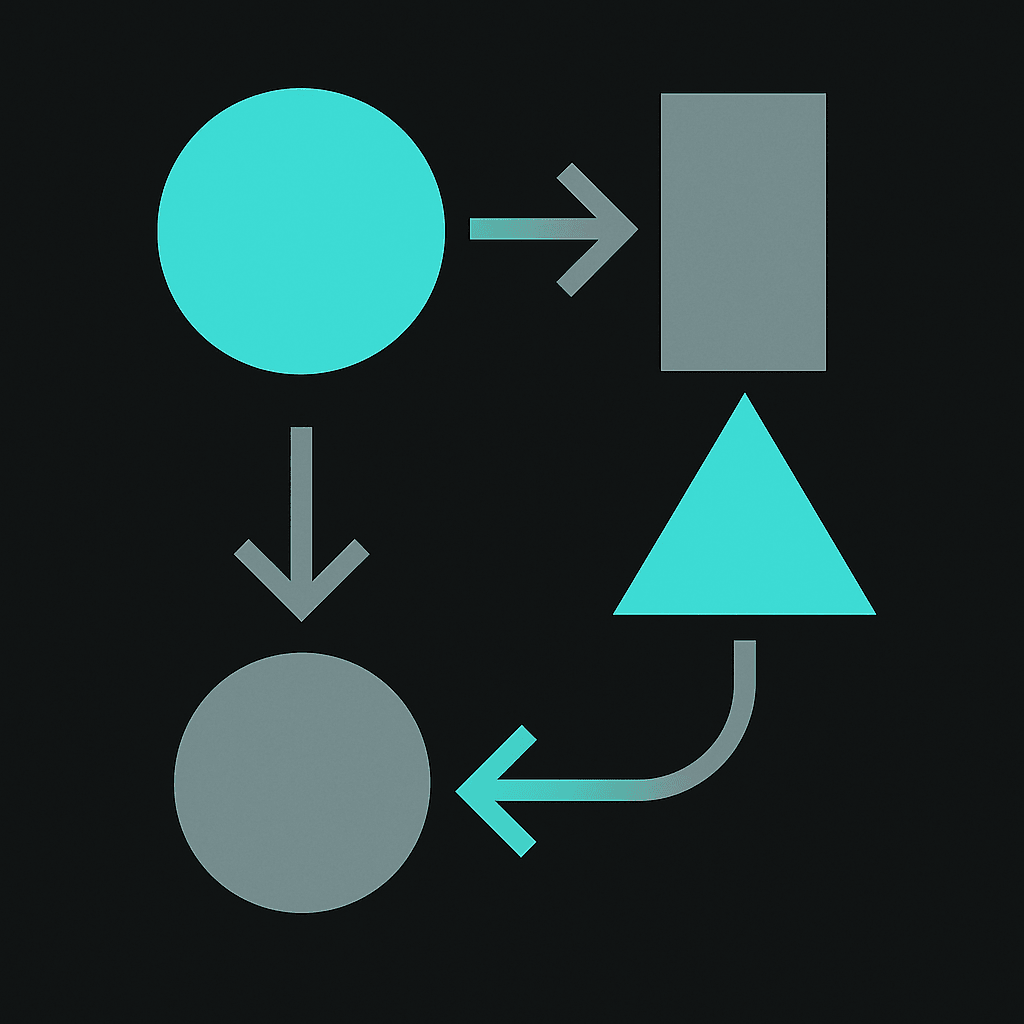
How the Lifecycle Works, Step by Step
Understanding the full lifecycle helps you troubleshoot problems later, instead of guessing why a payment failed.
1. Wallet creation and deposit address
Signing up with a provider gets you an account wallet, usually with a unique deposit address for each supported stablecoin. With WaldenPay, for example, registration is free and you get separate addresses for USDT and USDC so funds land in the right place automatically.
2. Choosing a network: TRC20 vs ERC20
This is the step most guides skip entirely, and it's the one that causes the most support tickets.
USDT and USDC exist on multiple blockchain networks. TRC20 (Tron) is popular because transaction fees are low and confirmations are fast. ERC20 (Ethereum) is more widely supported by exchanges but usually costs more in network gas fees and can take longer during congestion. Sending USDT over the wrong network to a wallet that doesn't support it can mean delayed funds or a support ticket you didn't need to file. Always double-check which network the receiving address supports before you hit send.
A usdt trc20 card setup is common precisely because Tron fees are cheap, which matters when you're loading small amounts frequently rather than one large lump sum.
3. Conversion to card balance
Once your deposit confirms on-chain, the provider converts it to a fiat-denominated card balance. This is the "usdt to card" step people usually mean when they search that phrase - it's not instant magic, and it depends on network confirmation times, which can range from a couple of minutes on Tron to longer on busier networks.
4. Spending: online, in-store, and via digital wallets
From here, the card behaves like a normal prepaid Visa or Mastercard. USDT virtual cards can be used anywhere that card type is accepted - entering the number on websites, adding to supported digital wallets, or setting up recurring billing for something like a subscription service. That includes the now-common habit of paying for AI tools or SaaS subscriptions with a card funded entirely by crypto, without ever touching a traditional bank account.
Adding the card to Apple Pay or Google Pay is usually a five-minute process once the card is issued, and it lets you tap to pay in-store the same way you would with a bank-issued card. That's the appeal of a usdt card apple pay setup - no need to explain to a cashier why you're paying with crypto, because you're not. You're paying with a card.
Fees You Should Actually Expect
Fee transparency is where a lot of providers get vague on purpose. Here's what's realistic.
A flat top-up fee in the 5% range when loading the card is standard across a lot of the market. On top of that, expect a one-time card issuance fee - a one-off cost for generating the virtual card itself. What shouldn't be normal: monthly maintenance charges just for holding a dormant card, or hidden markup on the USDT-to-fiat conversion rate that isn't disclosed anywhere. WaldenPay, for instance, charges the standard 5% top-up fee plus a one-time issue fee, with no monthly maintenance and free registration, balance checks, and support - a structure worth using as a baseline when comparing other providers.
If a provider advertises "no fees" anywhere, read the terms twice. The fee is usually baked into a worse exchange rate instead of being itemized, which is arguably less transparent, not more.
Why Cards Get Declined or Frozen (and What to Do About It)
This is the part most listicles never mention, and it's the part users actually need.
- Insufficient balance after fees. If you loaded exactly the purchase amount without accounting for the top-up fee, the charge can bounce.
- Merchant category restrictions. Some card programs block or flag certain merchant categories (gambling, some crypto exchanges, high-risk verticals) as part of standard card network risk rules, not because of anything you did.
- AML and compliance holds. Card providers operate under anti-money-laundering obligations. A card is not anonymous or untraceable, and unusual transaction patterns can trigger a review or temporary freeze while the provider verifies activity. This is a normal part of how regulated card issuance works, not something specific to crypto-funded cards.
- Network mismatch on top-up. Sending USDT on a network the provider doesn't monitor for that deposit address means the funds may not show up as expected - that isn't really a "decline" so much as "the money never arrived correctly."
- Card not activated for the right use. Some virtual cards need explicit activation for international transactions or for adding to Apple Pay/Google Pay before they'll work in that context.
None of this means the system is broken. It means a stablecoin debit card is a real financial product sitting inside real regulatory rails, and it behaves accordingly.
A USDT virtual card gives you spending flexibility, not a workaround for financial oversight. Privacy and compliance aren't opposites here - they coexist.
Choosing a Provider: A Practical Checklist
Instead of trusting a "top 10" ranking, run any provider through these questions yourself.
- Issuance speed. Is the card actually ready in minutes, or does "instant" really mean a multi-day waitlist?
- Supported stablecoins and networks. Does it support USDT and USDC, and on which networks (TRC20, ERC20)? Multi-chain support is increasingly common and cuts down on network-mismatch problems.
- Fee transparency. Is the top-up fee stated as a flat percentage, and is there a separate one-time issuance fee spelled out anywhere?
- Merchant acceptance. Does the card ride on a network (Visa/Mastercard) accepted at a genuinely large number of merchants - ideally in the hundreds of millions - rather than a limited partner list?
- Digital wallet support. Can the card be added to Apple Pay and Google Pay, or is it web-only?
- KYC requirements. What verification is required, and is it proportional to card limits? Every legitimate provider will have some level of KYC/AML process; the question is how it's implemented, not whether it exists.
- Support channel. Is there a real way to get help - live chat, a Telegram bot, email - or just a static FAQ page?
WaldenPay's process covers a few of these points directly: cards are typically issued in about 5 minutes, both USDT and USDC are supported across TRC20 and ERC20 depending on the asset, and a Telegram bot handles ordering, recharging, and balance alerts without needing to log into a separate dashboard. You can see the full mechanics on the how it works page and the fee breakdown on pricing.
Comparing the Common Options
| Factor | What to look for | Red flag |
|---|---|---|
| Top-up fee | Flat, disclosed percentage (e.g. 5%) | Vague "no fee" claims with poor exchange rates |
| Issuance time | Minutes to a few hours | Multi-day manual approval with no timeline |
| Network support | TRC20 and ERC20 at minimum | Single-network only, no warning on wrong-network sends |
| Digital wallets | Apple Pay and Google Pay supported | Card details only usable on a single checkout page |
| Compliance stance | Clear AML/KYC policy, no anonymity claims | Marketing that implies untraceable spending |
A broader crypto card comparison framework weighs fees, coin support, verification, and speed together. For readers specifically weighing verification requirements, it's worth reading a dedicated breakdown of what "no-KYC" actually means in practice versus what's marketed - see Best No KYC Crypto Card in 2026: What Actually Works for a realistic look at that tradeoff.
Who Actually Uses These Cards
The use cases aren't exotic. Freelancers paid in USDT by overseas clients use a card to cover everyday spending without routing everything through a bank that may charge conversion fees or delay transfers. Digital nomads like it because a virtual card doesn't require a local bank account in whatever country they're passing through. E-commerce sellers and entrepreneurs funding ad accounts like having a spending instrument that's separate from a primary business bank account - useful for budgeting ad spend by loading a fixed amount rather than linking a card with an open-ended limit.
There's also a straightforward privacy angle. A crypto card no bank account setup means you're not handing every merchant your primary bank details, which is a reasonable privacy preference and not, by itself, anything irregular. It's worth repeating: privacy-focused doesn't mean anonymous. Providers still operate under AML and regulatory obligations, and account activity is not untraceable.
Getting Started: A Realistic Walkthrough
Putting it all together, here's roughly what onboarding looks like with a provider like WaldenPay:
- Register an account (free) and get unique USDT/USDC deposit addresses.
- Send USDT over TRC20 (or USDC over ERC20/TRC20) to the correct address, double-checking the network first.
- Wait for on-chain confirmation, then convert the deposit to a card balance, accounting for the standard 5% top-up fee.
- Order the virtual card through the dashboard or the Telegram bot; issuance is typically around 5 minutes.
- Add the card to Apple Pay or Google Pay, or use the card number directly for online checkout.
- Recharge as needed and monitor balance/transaction alerts through the bot rather than checking manually every time.
For a deeper look at feature-level detail, the features page and security page cover how deposit addresses, card controls, and account protections work together.
ATM Withdrawals and Cash Access
Most guides focus on card spending at merchants and skip the ATM question entirely. Some USDT payment cards do support cash withdrawals at ATMs that accept the card network, though it's not universal and the fees are usually higher than point-of-sale transactions.
WaldenPay's card is primarily designed for online and in-store purchases rather than ATM cash-outs. If cash access is a priority, check the provider's terms explicitly - some platforms charge a separate ATM withdrawal fee on top of the standard top-up fee, and daily or per-transaction limits can be lower than what's available for card purchases.
For digital nomads and freelancers, this matters less than it used to. Mobile wallets and tap-to-pay have made cash less necessary in most places, and keeping the card focused on spending rather than withdrawals usually means simpler fee structures and fewer compliance friction points.
Multi-Chain Support Beyond TRC20 and ERC20
USDT exists natively on more than 10 different blockchains, with bridged versions on upwards of 80 networks. Liquidity and actual usage concentrate on Tron (TRC20) and Ethereum (ERC20), but some providers now accept Tether across additional chains - Polygon, Arbitrum, and others - specifically to let users dodge high fees during Ethereum congestion.
WaldenPay supports 135+ cryptocurrencies across 35+ networks, which means flexibility beyond just the two most common USDT networks. That multi-chain approach cuts down on the "wrong network" mistakes that cause support tickets and delayed deposits.
Always double-check which network a provider's deposit address expects before sending. Sending ERC20 USDT to a TRC20-only address (or vice versa) is one of the more common and costly mistakes new users make, and recovery isn't always possible depending on the platform's infrastructure.
The Deposit Address Step and Account Wallet Structure
Every account gets its own unique deposit address for USDT. Send funds there, wait for network confirmation, and the balance shows up - usually within minutes, though timing depends on network congestion and which USDT network was used.
This is also where most people hit their first real decision: which network to send on. Card platforms usually list which network each deposit address expects, so it's worth double-checking every time, not just on the first deposit.
WaldenPay's account wallet gives unique deposit addresses per supported network, so USDT and USDC land in the right place automatically without manual routing. That cuts down on the "wrong network" mistakes that cause support tickets and delayed deposits.
Comparing Top-Up Costs Against Manual Off-Ramp
Before picking a card for a specific workflow, add up the top-up fee, the card issue fee, and the network fee for moving funds in. Compare that total against what a manual off-ramp - exchange to bank, then bank card - would cost.
The card option usually wins on speed even when the fee looks similar. On a $500 top-up with WaldenPay's standard 5% fee, that's $25 in fees before spending a dollar. Not free, but transparent - and worth weighing against the network fees saved by using TRC20 instead of ERC20, plus whatever spread an exchange would charge to off-ramp USDT into a bank account manually.
A flat percentage is easier to plan around than tiered fee schedules that shift based on volume or currency pair, and it makes the math predictable for anyone topping up weekly or monthly.
Volume Discounts: How the Top-Up Fee Drops with Regular Use
The standard 5% top-up fee isn't fixed forever. WaldenPay applies automatic volume discounts based on rolling 30-day card spend, and the tiers kick in without any application or manual opt-in.
Here's the full schedule: 5% up to $2,000 in monthly spend, 4.75% from $2,000, 4.5% from $5,000, 4.25% from $10,000, 4% from $25,000, 3.5% from $50,000, and 3% once monthly spend hits $100,000. Users spending $250,000 or more per month get individual pricing.
The dashboard shows current fee rate, 30-day spend total, and progress toward the next tier in real time. For freelancers cashing out USDT income weekly or e-commerce sellers funding ad accounts regularly, those discounts add up fast. A user loading $1,000 twice a month pays 5% the first month, but once the rolling 30-day total crosses $2,000, the fee drops to 4.75% automatically on the next top-up.
This matters because most competitors either don't offer volume pricing at all, or gate it behind a manual application process that takes days. WaldenPay's approach is instant and transparent - spend more, pay less, no paperwork.
Send to Friend and Collect Payments: Beyond Just Spending USDT
A USDT card is useful for spending, but WaldenPay adds two features that turn the account wallet into something closer to a lightweight payment platform.
Send to Friend lets users move balance between WaldenPay accounts instantly using just an email address - no wallet addresses, no blockchain transaction, no fees. It's a ledger transfer that settles in seconds, with a recipient name preview before sending and password confirmation on every transfer. Limits are $1 minimum, $10,000 per transfer, and $20,000 per rolling 24 hours. For splitting bills, paying a contractor, or moving funds between your own accounts, it's faster and cheaper than an on-chain USDT send.
Collect Payments works the other way: create a payment request for a fixed USD amount (between $1 and $10,000), add a description, and share it as a link or QR code. Anyone can pay it in any of the 135+ supported cryptocurrencies across 35+ networks - the payer doesn't need a WaldenPay account. The creator receives the exact USD amount in their wallet, and the payer covers a 0.2% conversion fee. Underpayments are tracked with a fresh address generated for the remainder, and incomplete payments refund automatically to the payer's wallet.
Freelancers invoicing internationally, market vendors showing a QR at the till, and P2P sellers all get real utility out of Collect Payments without needing a separate invoicing tool or payment processor.
Managing Everything Through the Telegram Bot
WaldenPay's Telegram bot isn't just a notification channel - it's a full interface for ordering cards, recharging with USDT, checking balances, and getting transaction alerts without opening a browser.
The flow is straightforward: message the bot to order a new card, and it walks through the steps. To recharge, the bot generates a deposit address for the chosen network (TRC20, ERC20, or any other supported chain), and once the USDT confirms on-chain, the balance updates automatically. Transaction alerts arrive as messages in real time, so there's no need to log into a dashboard just to confirm a purchase went through.
For users who already live in Telegram - especially freelancers coordinating with clients or digital nomads managing finances on the go - the bot is often faster than the web dashboard. It's also useful for anyone who wants to top up a card quickly from a phone without hunting for a saved login or dealing with two-factor authentication flows on a mobile browser.
The bot doesn't replace the full web interface, but for the core loop of deposit-convert-spend-check, it handles everything without leaving the app.
FAQ
Is a USDT virtual card the same as a bank account?
No. It's a prepaid card program funded by crypto, not a deposit account with a bank. There's no interest, no checking account number, and no lending relationship - just a spendable balance loaded from USDT or USDC.
Which network should I use to load a USDT virtual card, TRC20 or ERC20?
TRC20 is generally cheaper and faster for USDT transfers, which is why many providers default to it for card top-ups. ERC20 is more widely supported by exchanges but usually costs more in gas fees. Always confirm which network the deposit address actually supports before sending.
Why did my USDT virtual card get declined at checkout?
Common causes include an insufficient balance after fees, a merchant category restriction under the card network's rules, or a compliance hold triggered by unusual activity. It's rarely random - checking the balance and recent transaction alerts usually explains it.
Can I add a USDT virtual card to Apple Pay or Google Pay?
Many providers support this, including WaldenPay. Once the card is issued, adding it to a digital wallet typically takes a few minutes, after which it works for in-store tap-to-pay just like a regular bank-issued card.
Is a USDT virtual card anonymous?
No. These cards are privacy-focused in the sense that you're not exposing your primary bank account to every merchant, but they are not anonymous or untraceable. Providers are subject to AML and regulatory requirements, and verification is a normal part of using the product.
Ready to turn USDT into everyday spending power?
WaldenPay issues virtual cards funded with USDT or USDC in about 5 minutes, with a standard 5% top-up fee, no monthly maintenance, and support for Apple Pay, Google Pay, and online checkout anywhere Visa or Mastercard is accepted.
Get your WaldenPay card